
Software

Financial Software Solutions That Power Your Workflow

Automation, billing, data entry, and integrations—made easy with our expert-approved tools.

At Ontrack Bookkeeping, we help you get more done in less time by integrating powerful software into your financial operations. From automated bill pay to seamless data imports and client billing—our curated software stack supports faster, cleaner, and smarter bookkeeping. We don’t just recommend tools—we implement and support them.

Our Software Tools

Ramp
Corporate Card + Expense Automation

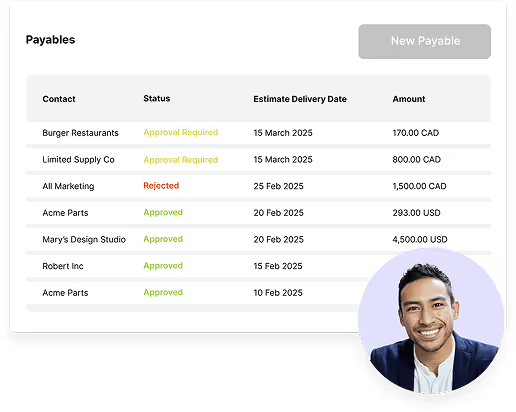
Ramp is the ideal tool for growing companies that need tighter control over spending. We help you set it up, sync with QuickBooks, and build custom workflows to automate receipt capture, approvals, and reporting.

Automatic GL coding and receipt matching

Reimbursements and card management

Powerful reporting tools

Native QuickBooks Online sync
Raam
Corporate Card + Expense Automation

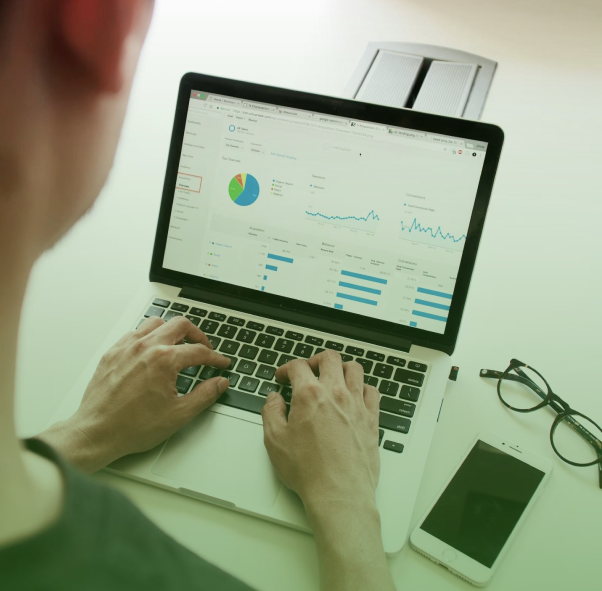
Ramp is the ideal tool for growing companies that need tighter control over spending. We help you set it up, sync with QuickBooks, and build custom workflows to automate receipt capture, approvals, and reporting.

Automatic GL coding and receipt matching

Reimbursements and card management

Powerful reporting tools

Native QuickBooks Online sync
Raam
Corporate Card + Expense Automation

Ramp is the ideal tool for growing companies that need tighter control over spending. We help you set it up, sync with QuickBooks, and build custom workflows to automate receipt capture, approvals, and reporting.

Automatic GL coding and receipt matching

Reimbursements and card management

Powerful reporting tools

Native QuickBooks Online sync

Why Choose Ontrack for Financial Software Integration

We use the tools we recommend

Setup, training, and support included

All tools vetted for QuickBooks compatibility

Implementation done by experienced professionals, not sales reps

“Ramp completely changed how we track expenses. Ontrack handled the setup, synced it with our books, and trained the team in a single afternoon.”

— Leah F., Director of Operations, B2B Marketing Firm

Questions?
We’ve Got You Covered

Can I set up these tools myself or do I need your help?

You can, but our setup includes best practices, GL mapping, training, and full integration support to avoid mistakes.

Are these tools compatible with QuickBooks Online and Desktop?

A bookkeeper handles day-to-day entries. A controller ensures accuracy, produces in-depth financial reports, and oversees financial strategy. They’re the bridge between bookkeeping and CFO-level decision-making.

Can I use these tools without switching my accounting system?

A bookkeeper handles day-to-day entries. A controller ensures accuracy, produces in-depth financial reports, and oversees financial strategy. They’re the bridge between bookkeeping and CFO-level decision-making.

Need help choosing or
setting up the right software?

Let’s talk about your tech stack and streamline your accounting tools today.

QuickBooks Online
QuickBooks Desktop Enterprise
Intuit Enterprise Suite
Merchant Services
Payroll
QuickBooks Online
QuickBooks Desktop Enterprise
Intuit Enterprise Suite
Merchant Services
Payroll
QuickBooks Online
QuickBooks Desktop Enterprise
Intuit Enterprise Suite
Merchant Services
Payroll
QuickBooks Online
QuickBooks Desktop Enterprise
Intuit Enterprise Suite
Merchant Services
Payroll